
AP Invoice Automation Software
Capture Invoices Accurately
Ottimate’s AI-powered capture and coding speeds approvals, improves accuracy, and protects your margins with smarter AP.
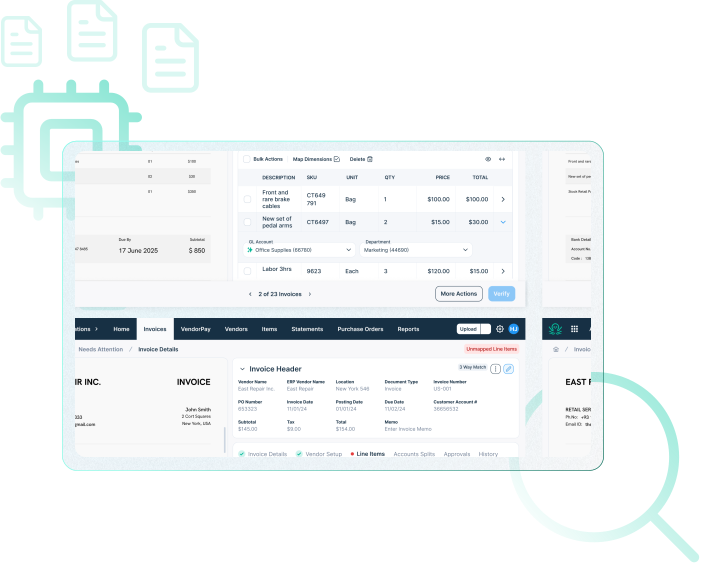

Key challenges with invoice processing
Manual workflows drain time and increase errors, fraud risk, and compliance gaps. Ottimate automates invoice handling so your team can focus on higher-value work.

Manual workflows

Missed discrepancies

Fraud risk exposure
Spend 80% less time on your invoices
Intelligent invoice processing
Ottimate applies advanced AI to capture and code invoices with 99.5% accuracy at the header level and 95% at the line-item level. Most customers cut their invoice lifecycle from 3 days to under 1 day, giving finance leaders the visibility to make better cash flow and growth decisions.

Maximize savings with modern AP automation
AP Automation Guide
Download Ottimate’s AP Automation Guide to explore how invoice automation improves accuracy, speeds approvals, and unlocks savings. Learn how leading finance teams are boosting efficiency and safeguarding profits with AI-driven AP.

AI-driven invoice digitization & coding
Cut down on costly errors and free your team to focus on strategy. Ottimate automates AP entry, coding, and fraud prevention with accuracy that scales.

AP accuracy
Streamlined workflows
Reduce manual work
Prevent fraud
AP accuracy
Streamlined workflows
Reduce manual work
Prevent fraud
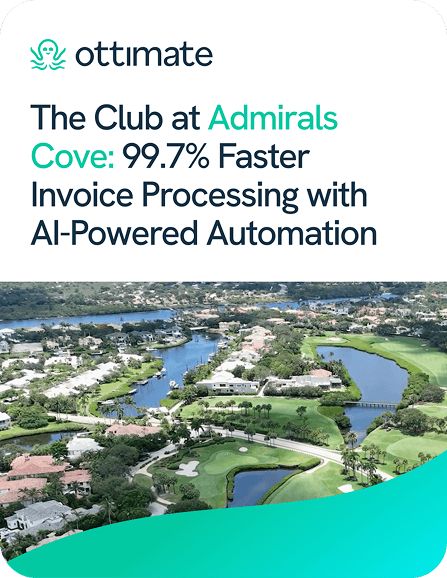
99.7% faster invoice processing with AI
From paper to instant capture
Admirals Cove cut invoice processing time from 24 hours to under five minutes with AI automation. Directors code and approve invoices directly, VendorPay speeds vendor payments, and flexible ACH and virtual card options reduce costs while earning rebates.
Digitize and code your invoices
Smart Invoice Capture
Ottimate ingests invoices from any format, interpreting headers and line items instantly. It then applies precise GL coding, minimizing errors, reducing workload, and ensuring fast and accurate accounting.

Uncover risky invoices, approve with trust
Invoice Trust Score
Ottimate assigns trust scores to invoices using history, email source, and pattern checks. Finance teams can auto-approve trusted invoices and flag anomalies, saving time while reducing financial exposure.

AI that codes invoices to the right GL
Precise GL Coding
Ottimate suggests GL codes for unmapped items and learns from your past selections. 93.3% of line items are coded correctly and automatically, saving customers 106 hours per month and ensuring invoices flow into the ERP without rework.

Tailor AP with flexible dimensions
Custom Dimensions
Adapt Ottimate to your accounting needs. Add custom dimensions such as department, region, or location to align with your ERP. Gain granular reporting and insights while keeping AP processes efficient.

Frequently Asked Questions
Transform AP with Ottimate
See how Ottimate automates invoice capture, coding, and approvals to protect profits and free up your finance team.
See what other Ottimate customers have to say on G2
See how Ottimate has helped other finance teams with their invoice-to-payments processing.
“Ottimate is a time-saving tool used to help us process invoices and get approvals from managers associated with certain accounts. We currently have over 50 locations using Ottimate, and I, at the corporate location, can easily assist anyone using this program and manage the invoice process.”
“Ottimate streamlines our accounting process, which has allowed for my accurate and timely financial reports. We now have more time for in-depth reconciliations and analysis of accounts, and we couldn’t be happier with the product and service we have received. This software is user-friendly, and offers tons of neat features that I haven’t seen from competitors. Additionally, their customer…”
“Ottimate saves me so much time! I used to spend all day scanning an entering invoices and now the process has been streamlined so that I can take advantage of that extra time and be more productive on the task at hand!”
“It saves us a significant amount of time daily by streamlining invoice approvals, exporting accurate data, and providing easy access to invoice and approval history.”